---
title: Add a Notion article to Siit
description: Connect a Notion page to Siit and sync it so it's available as a knowledge article for employees and AI answers.
---
[Skip to content](https://help.siit.io/add-notion-article#main-content)
[](https://help.siit.io/?hsLang=en)
- [Help Center](https://help.siit.io/)
- [Docs](https://docs.siit.io/)
- [API reference](https://developer.siit.io/api-reference/authentication)
- [Changelog](https://www.siit.io/changelog)
Open main navigation
Close main navigation
- [Help Center](https://help.siit.io/)
- [Docs](https://docs.siit.io/)
- [API reference](https://developer.siit.io/api-reference/authentication)
- [Changelog](https://www.siit.io/changelog)
How can we help?
- There are no suggestions because the search field is empty.
1. [Help center](https://help.siit.io/?hsLang=en)
2. [Integrations](https://help.siit.io/integrations?hsLang=en)
3. [Knowledge base](https://help.siit.io/integrations?hsLang=en#knowledge-base)
# Add a Notion article to Siit
Here is a quick video 📹 showing the process:
Otherwise, here are all the steps you need to do to add a Notion article following the integration ⤵️
### Choose the Notion article you want to add
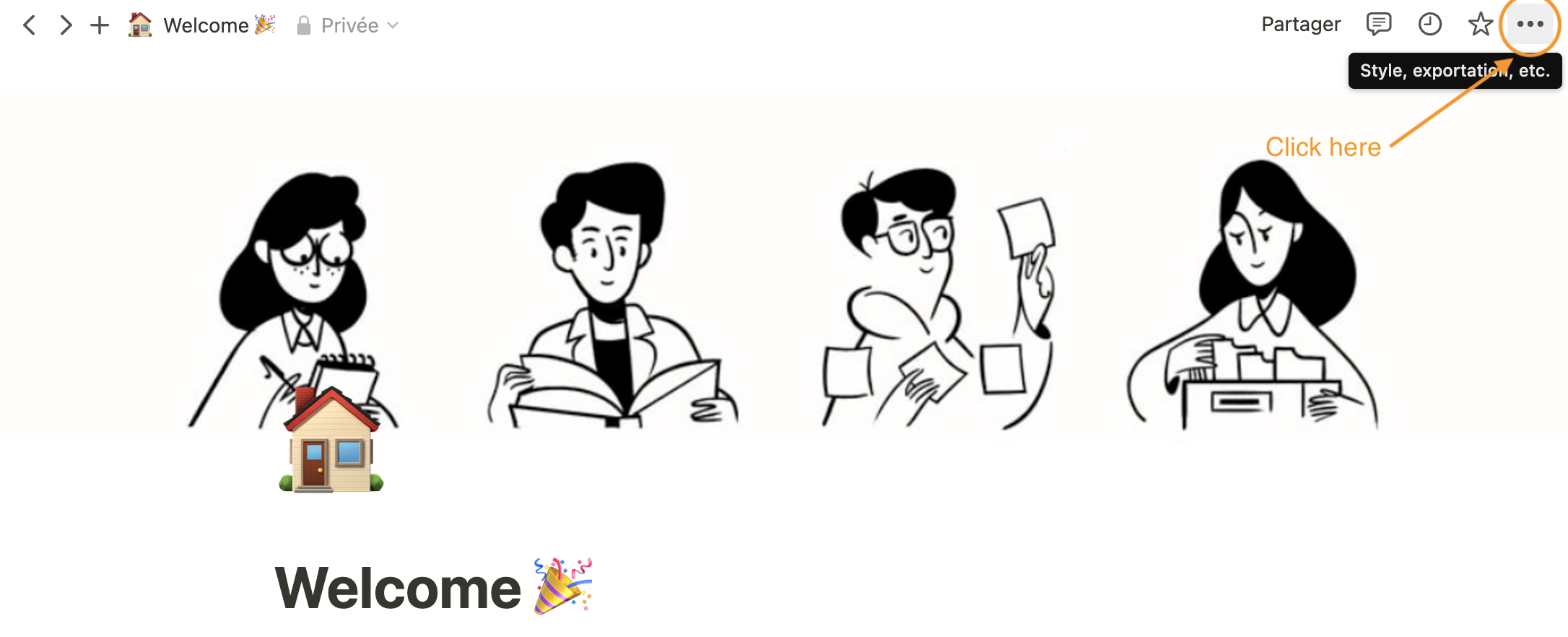
Go to Notion and click on the article you want to upload.
Then, click on the **“…”** at the top right of the page on Notion
### Add a connection between the Notion article & Siit
A drop-down menu appears
Scroll down to the bottom of the drop-down menu, and click on : **“add connections”**
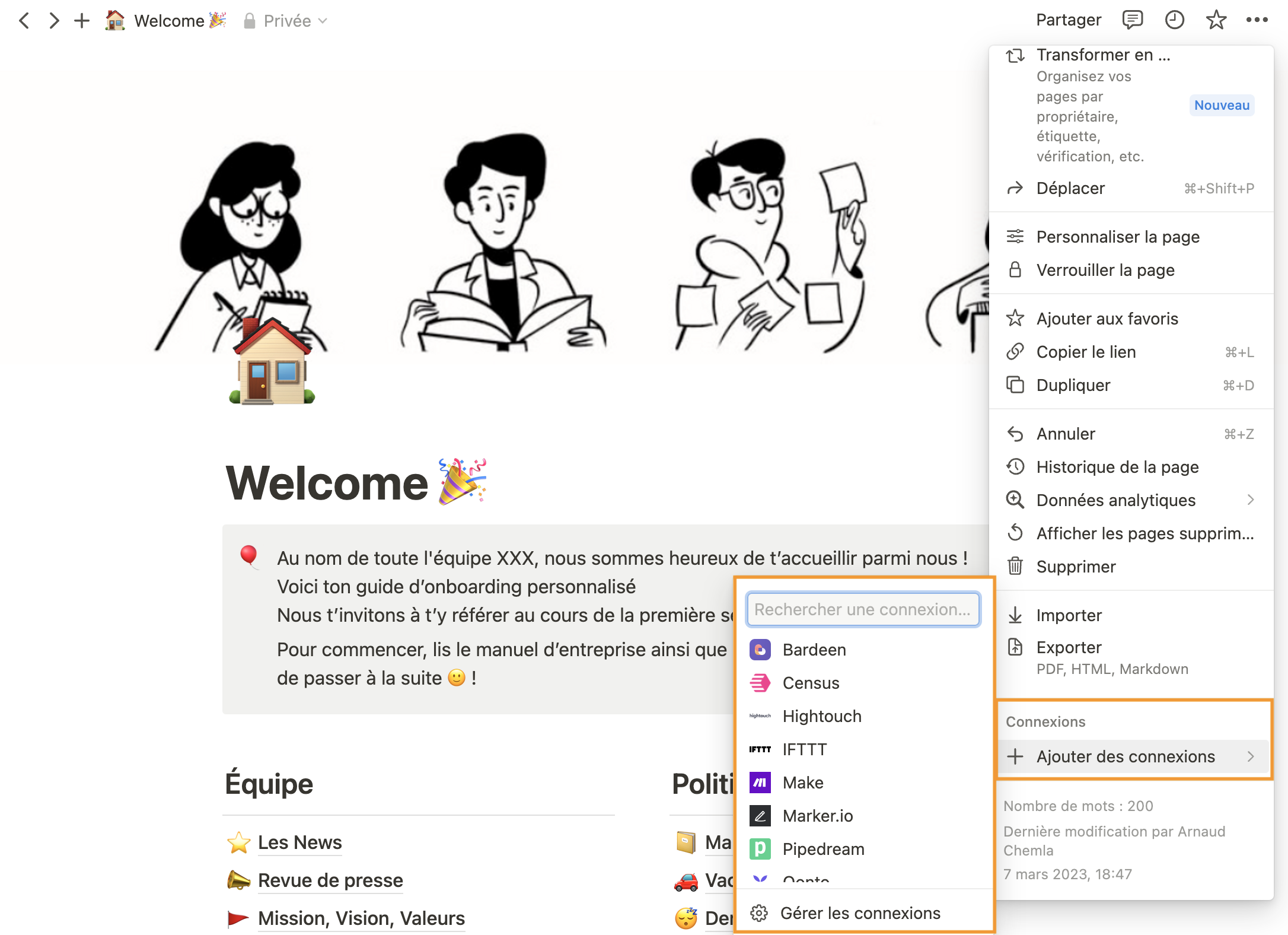
Then enter “Siit” in the search bar that appears
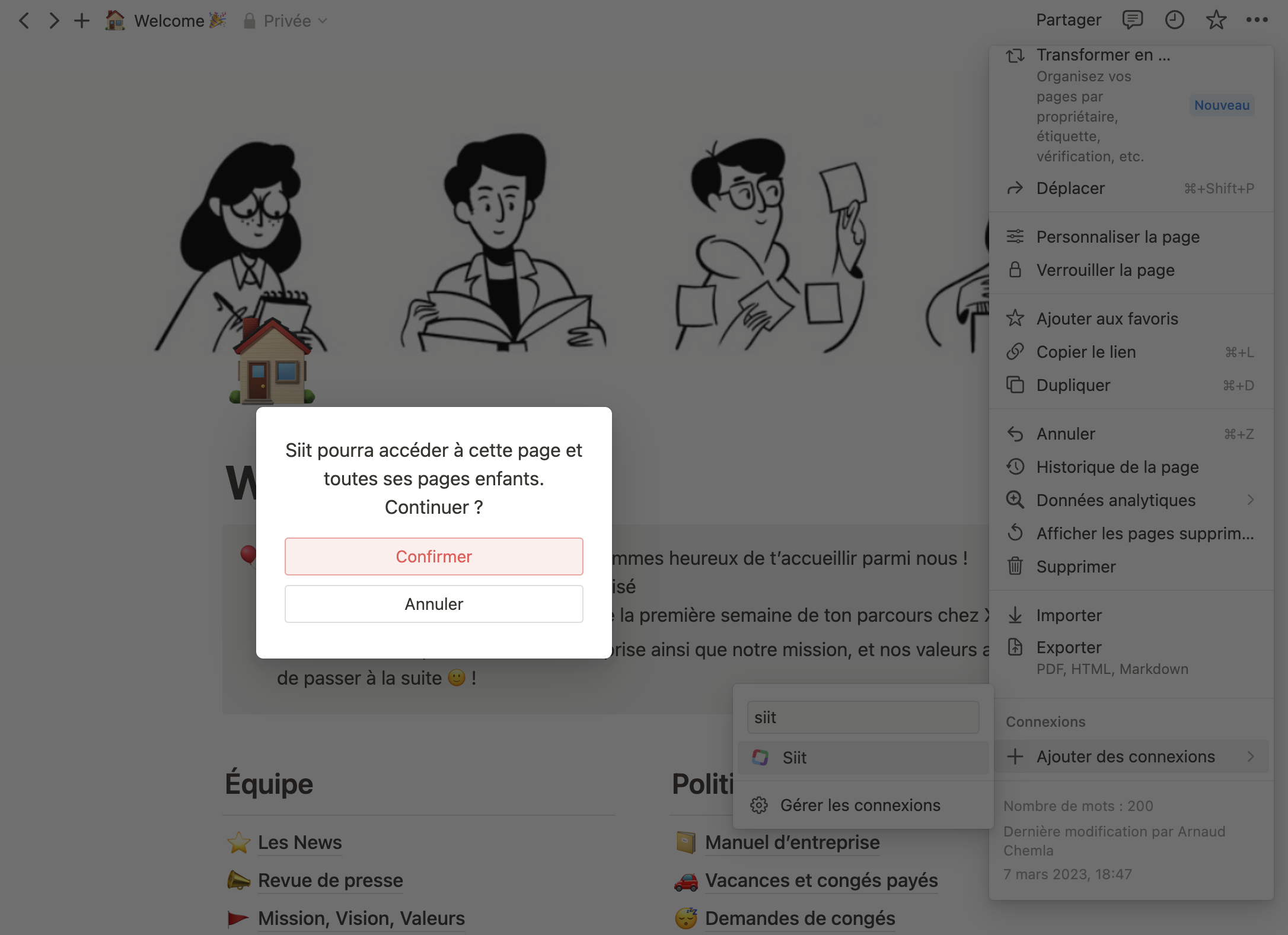
Click on “Siit” application
A message appears. Click on **“Confirm”**
### **Synchronize your article on Siit platform**
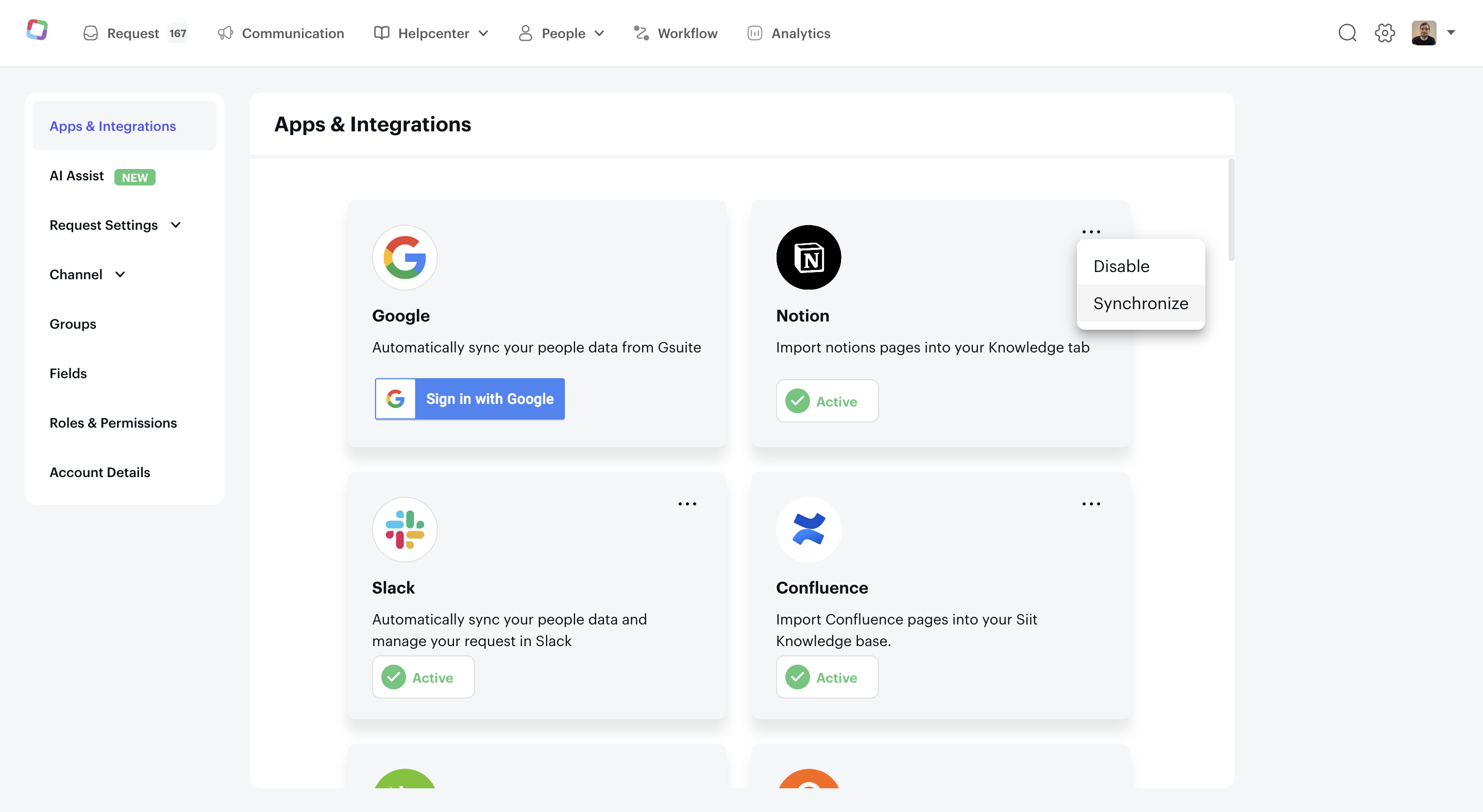
Finally, go to the Siit admin platform
Click on **the “⚙️”** (top right of the page)
Then click on **Integration library** and select **Notion**.
Click on the **“…”** at the top right of the Notion block.
Select “Synchronize”
### **That’s it**, wait a minute and your article will appear in Context -\> Articles.
- [Getting started](https://help.siit.io/getting-started?hsLang=en#main-content)
- [For Admins](https://help.siit.io/getting-started?hsLang=en#for-admins)
- [Employee Guides](https://help.siit.io/getting-started?hsLang=en#employee-guides)
- [Request and Service Management](https://help.siit.io/request-and-service-management?hsLang=en#main-content)
- [Request](https://help.siit.io/request-and-service-management?hsLang=en#request)
- [Email](https://help.siit.io/request-and-service-management?hsLang=en#email)
- [Service catalog](https://help.siit.io/request-and-service-management?hsLang=en#service-catalog)
- [SLAs](https://help.siit.io/request-and-service-management?hsLang=en#slas)
- [App access](https://help.siit.io/request-and-service-management?hsLang=en#app-access)
- [AI & Agents](https://help.siit.io/ai-agents?hsLang=en#main-content)
- [Overview](https://help.siit.io/ai-agents?hsLang=en#overview)
- [Setup](https://help.siit.io/ai-agents?hsLang=en#setup)
- [Use cases](https://help.siit.io/ai-agents?hsLang=en#use-cases)
- [Automations and Workflows](https://help.siit.io/automations-and-workflows?hsLang=en#main-content)
- [Getting started](https://help.siit.io/automations-and-workflows?hsLang=en#getting-started)
- [Use cases](https://help.siit.io/automations-and-workflows?hsLang=en#use-cases)
- [Integrations](https://help.siit.io/automations-and-workflows?hsLang=en#integrations)
- [Reporting and Analytics](https://help.siit.io/reporting-and-analytics?hsLang=en)
- [Integrations](https://help.siit.io/integrations?hsLang=en#main-content)
- [Communication](https://help.siit.io/integrations?hsLang=en#communication)
- [HRIS](https://help.siit.io/integrations?hsLang=en#hris)
- [Ticketing](https://help.siit.io/integrations?hsLang=en#ticketing)
- [Knowledge base](https://help.siit.io/integrations?hsLang=en#knowledge-base)
- [Identity Provider](https://help.siit.io/integrations?hsLang=en#identity-provider)
- [Device Management](https://help.siit.io/integrations?hsLang=en#device-management)
- [Knowledge Base Management](https://help.siit.io/knowledge-base-management?hsLang=en)
- [Admin, Security & Workspace](https://help.siit.io/admin-security-workspace?hsLang=en#main-content)
- [Workspace Settings](https://help.siit.io/admin-security-workspace?hsLang=en#workspace-settings)
- [SSO (SAML)](https://help.siit.io/admin-security-workspace?hsLang=en#sso-saml)
- [SCIM & Provisioning](https://help.siit.io/admin-security-workspace?hsLang=en#scim-provisioning)
- [People & Directory](https://help.siit.io/admin-security-workspace?hsLang=en#people-directory)
[](http://siit.io)
Copyright © 2025, Siit SAS