What you get:
-
Automatic user provisioning – new employees get Siit access as soon as they're added to your directory
-
Real-time attribute sync – job titles, phone numbers, and languages stay current
-
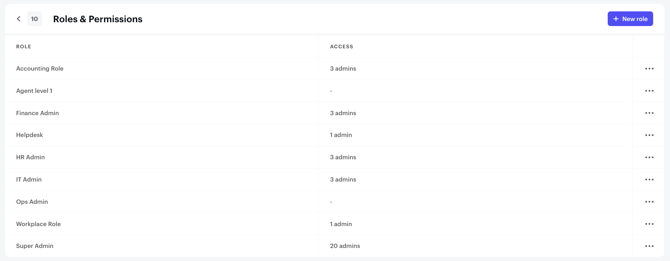
Group-to-role mapping – assign Siit permissions based on your existing IdP groups
-
Instant deprovisioning – suspended or deleted accounts lose access immediately
Okta SCIM ensures your team's access stays perfectly in sync with your organization's directory, reducing security risks and IT overhead.
Supported SCIM Features
The following SCIM provisioning features are supported:
- Push New Users – Create users in Siit when assigned in Okta
- Push Profile Updates – Update user attributes in Siit when changed in Okta
- Push Groups – Push Okta groups to Siit and link them to Siit roles
- Deactivate Users – Deactivate users in Siit when removed or suspended in Okta
Before you begin:
- Your Siit workspace must be on the Pro plan
- You need Okta admin permissions
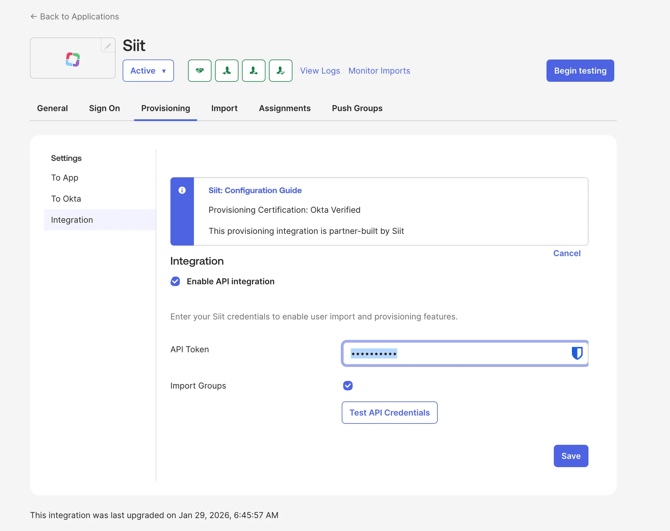
- Install the Siit Application from Okta Marketplace
- Go to the SCIM security config in Siit
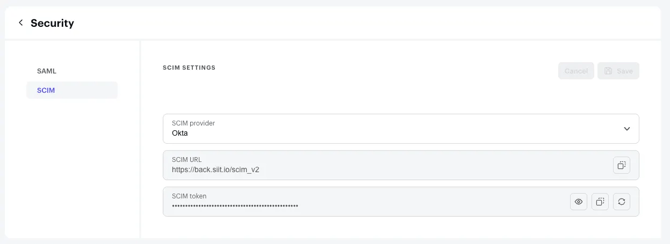
- Use the token found there to fill the API key in the provisioning tab in Okta
- Assign users
- Push and link groups
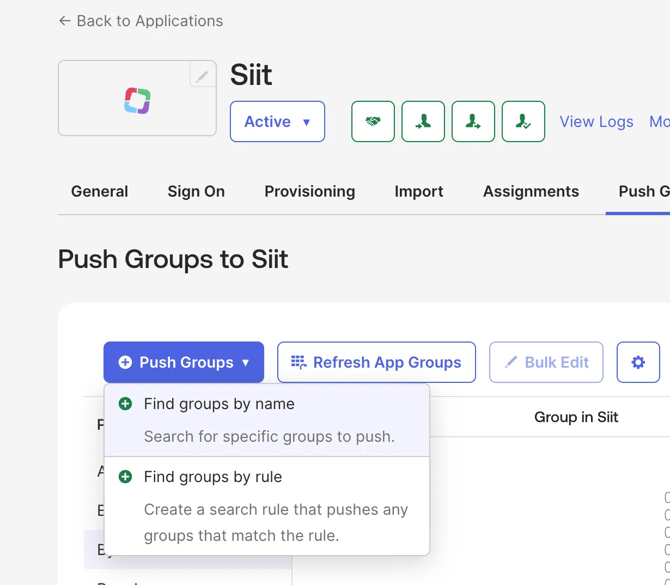
- Make sure to refresh groups to see existing Siit Roles
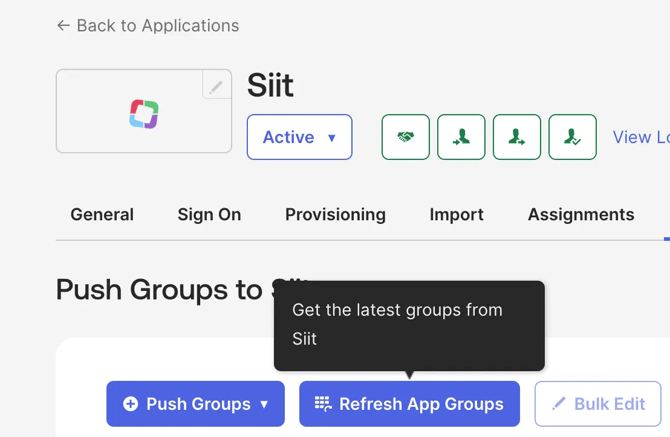
- Go to push groups and choose find by name
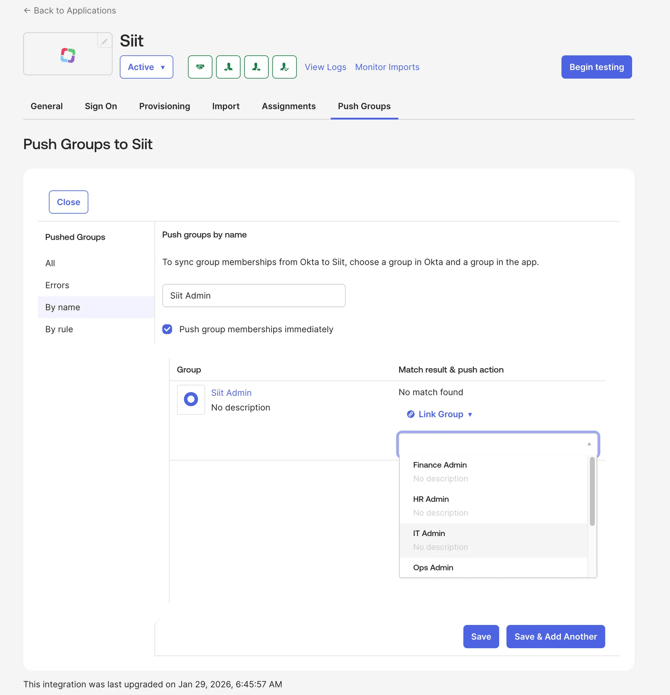
- Link your okta group to an existing siit role
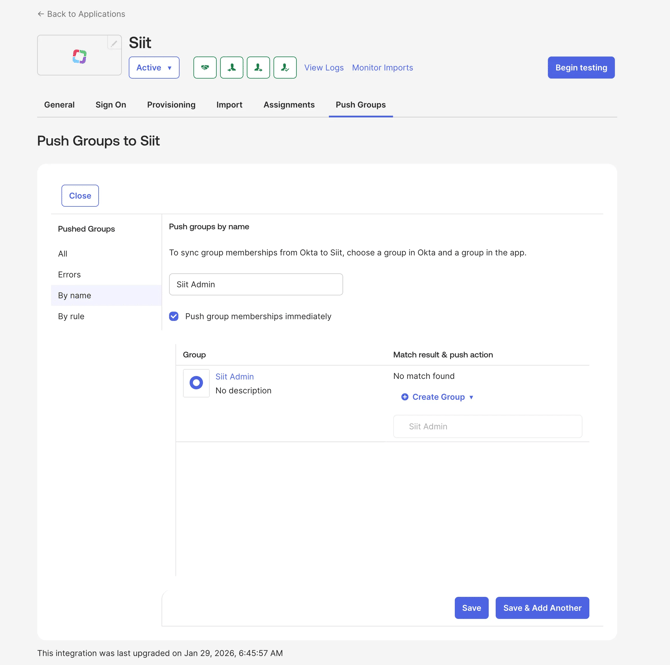
- Or create role in Siit based on okta group
Roles are now imported and synchronized in Siit - Make sure to refresh groups to see existing Siit Roles